




A good study schedule stops you from asking "what should I study today?" every single day. You waste less time deciding, and when exam week arrives you haven't left everything for the last night. Building one is easier than it sounds.
Short answer: Start with your class timetable and other fixed commitments, then add every exam and assignment deadline. Estimate how many hours each course needs, spread those hours over the days before each deadline, and slot them into your free time. Review and adjust the schedule once a week.
1. Map out your fixed commitments
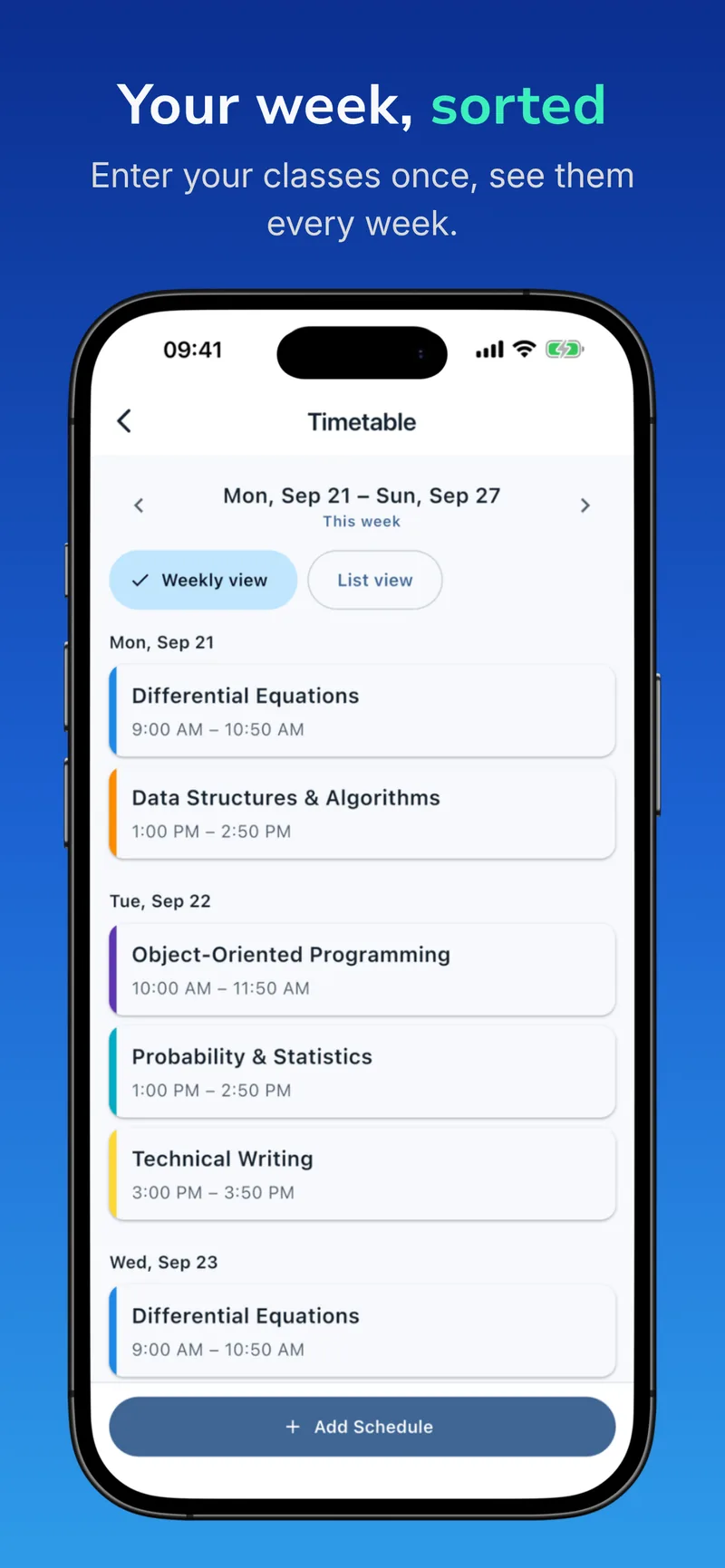
The foundation of any schedule is the time you can't move: classes, labs, work shifts, commuting, meals and sleep. Put these into a weekly grid first. The gaps that remain are the time you can actually study.
Skipping this step and simply deciding "I'll study four hours a day" is the most common reason schedules fall apart. If you have six hours of classes on Tuesday, four more hours of studying that day isn't realistic.
2. Add every exam and deadline
At the start of the term, collect every midterm, final, quiz and assignment due date in one place. Your course syllabi and learning platform are the sources. Seeing all the dates together shows you which weeks will be busy. If two midterms fall in the same week, you'll know to start preparing a week earlier.
3. Estimate the hours each course needs
Courses don't need equal time. A class you find hard might need 12 to 15 hours of preparation for a midterm; one you're comfortable with might need 5 or 6. Your first estimates don't have to be perfect. They give you a starting point, and you'll adjust them as the term goes on.
4. Spread the hours across the days
Divide the total hours by the days left before the exam. For example:
- Your statistics midterm needs 12 hours and is 12 days away → about 1 hour a day.
- Your data structures midterm needs 9 hours and is 18 days away → about 30 minutes a day.
This way you touch each course a little every day. Returning to the same material on different days makes it stick far better than one long cram session.
5. Put study blocks into your free time
Turn the daily amounts into 25 to 50 minute blocks and place them in the gaps between your fixed commitments. Schedule difficult subjects for the times you have the most energy, and save review and easier tasks for when you're tired. Take a short break after each block. For more on this, see Effective study techniques.
6. Leave room for the unexpected
However good your plan is, things happen: you get sick, an assignment takes longer than expected, something comes up. Leaving one or two empty blocks each week lets you catch up without wrecking the whole schedule.
7. Review it every week
Spend ten minutes on Sunday evening looking back at the week. Which course did you fall behind in? Which estimates were off? Were any new assignments or quizzes announced? Update your schedule based on the answers. A weekly review is what keeps a schedule alive until the end of the term.
Example weekly study schedule
Here is an example for a college student with four to six hours of classes on weekdays. Adapt it to your own timetable.
- Monday: Classes 9:00 AM–3:00 PM · 5:00–5:50 PM Statistics (midterm prep) · 8:00–8:30 PM Data Structures review
- Tuesday: Classes 10:00 AM–4:00 PM · 7:00–7:50 PM assignment: linked list implementation
- Wednesday: Classes 9:00 AM–1:00 PM · 2:00–2:50 PM Statistics · 3:00–3:50 PM Differential Equations
- Thursday: Classes 1:00–5:00 PM · 10:00–10:50 AM Data Structures · 8:00–8:30 PM weekly review
- Friday: Classes 9:00 AM–12:00 PM · 2:00–3:40 PM two blocks on the week's hardest topic
- Saturday: 10:00–11:40 AM catch-up time
- Sunday: Rest · 10-minute weekly review in the evening
Common mistakes
- Being too ambitious. An eight-hours-a-day plan collapses in the first week and kills motivation. Start small and build up.
- Planning only for exam week. Spreading topics across the term prevents a last-minute pile-up.
- Leaving out breaks. Long stretches without breaks drain your focus quickly.
- Forgetting assignments. Assignments take time too; put their deadlines in the schedule as well.
Automate your schedule with BudStudy
You don't have to do all of this by hand. In BudStudy you enter your class times once and they appear in your timetable every week of the term. You add your exams and assignments with reminders. When you link a study goal to an exam, BudStudy spreads the remaining time across the days and works out how long you should study today, and it shows you which courses you're falling behind in.
Last updated: 25 September 2026
Related guides: